 TESSALink Front Line Support
Learn the efficient process for adding new user accounts to a specific tenant within the TESSALINK platform. This guide provides step-by-step instructions to help administrators manage their organizational permissions and access controls quickly.
Navigation
1. Navigate to https://app.tessalink.com/#/home

2. Click Users
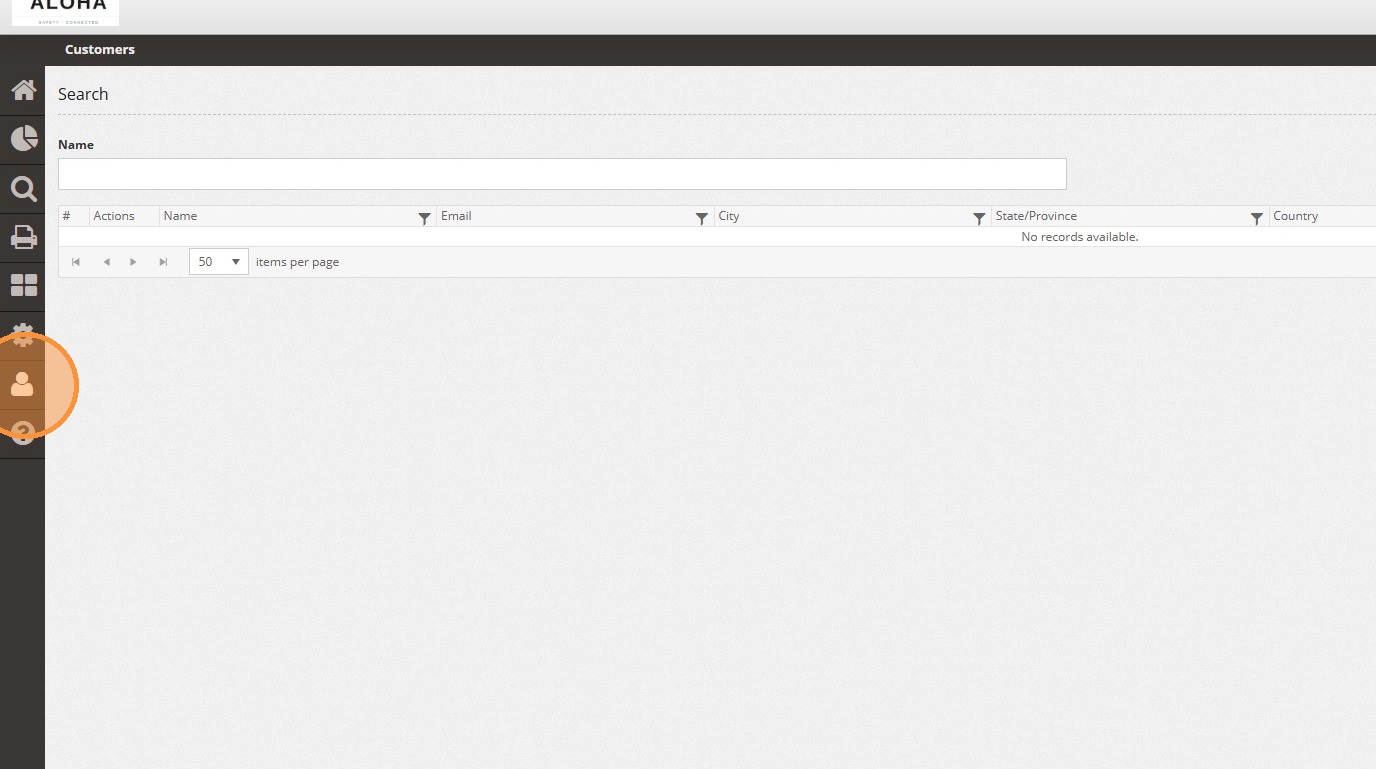
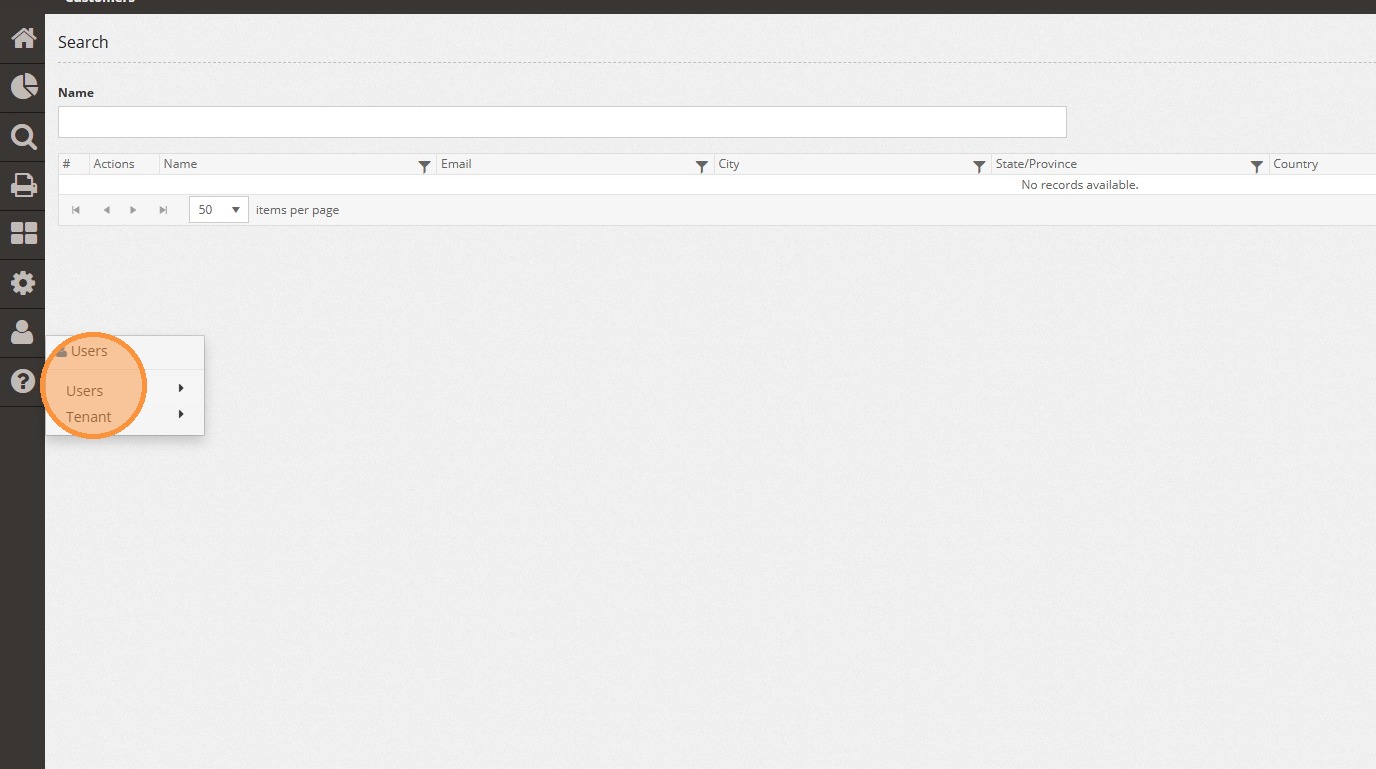
3. Click "Users"
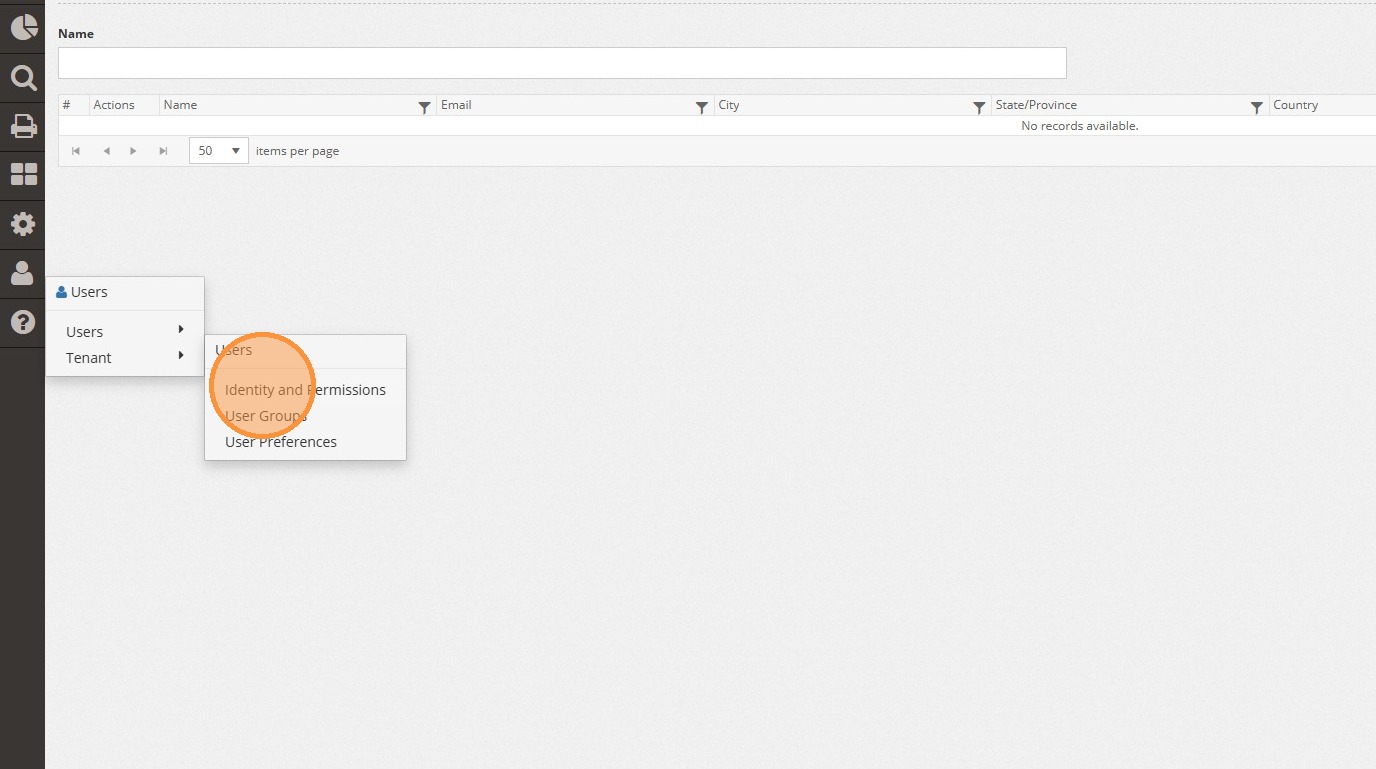
4. Click "Identity and Permissions"
5. Click "My Tenant"
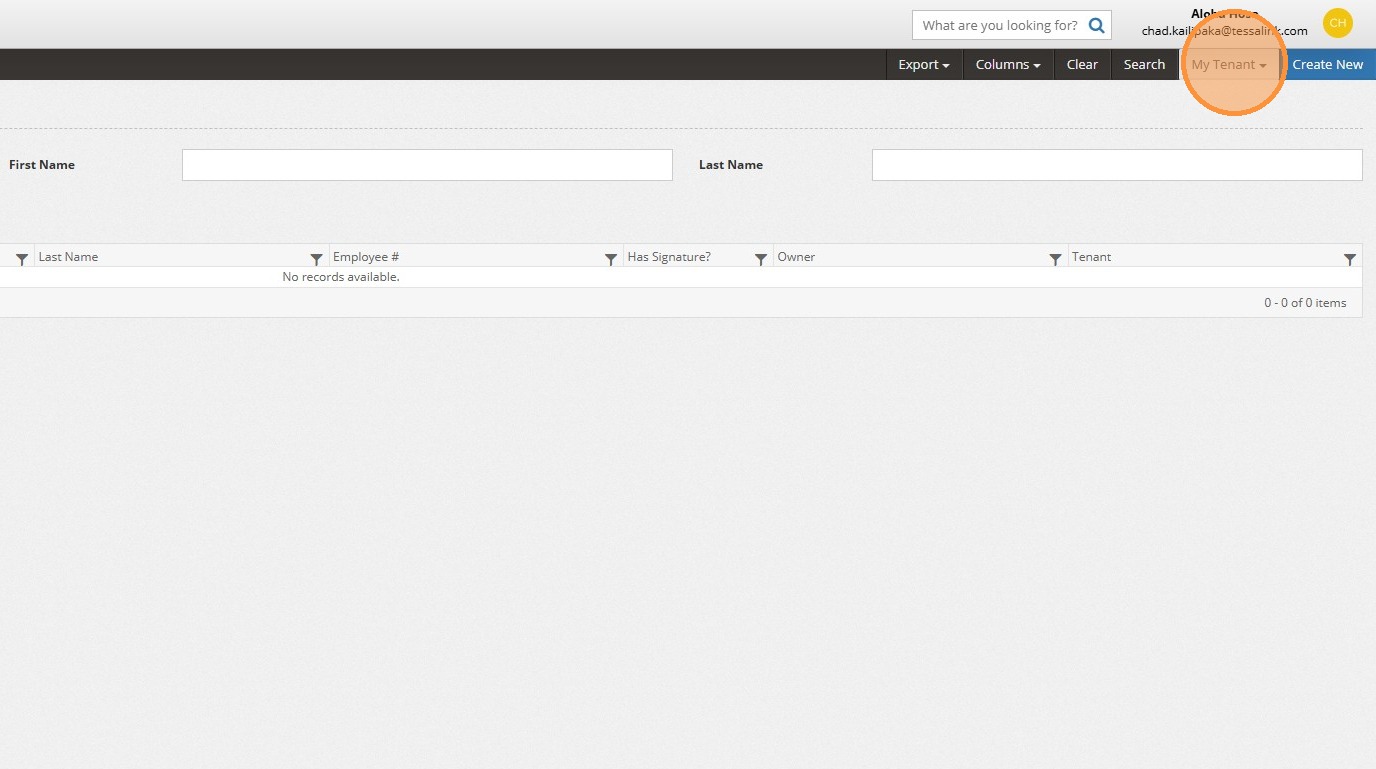
6. Search for your customer's name

Tenant Selection
User Creation
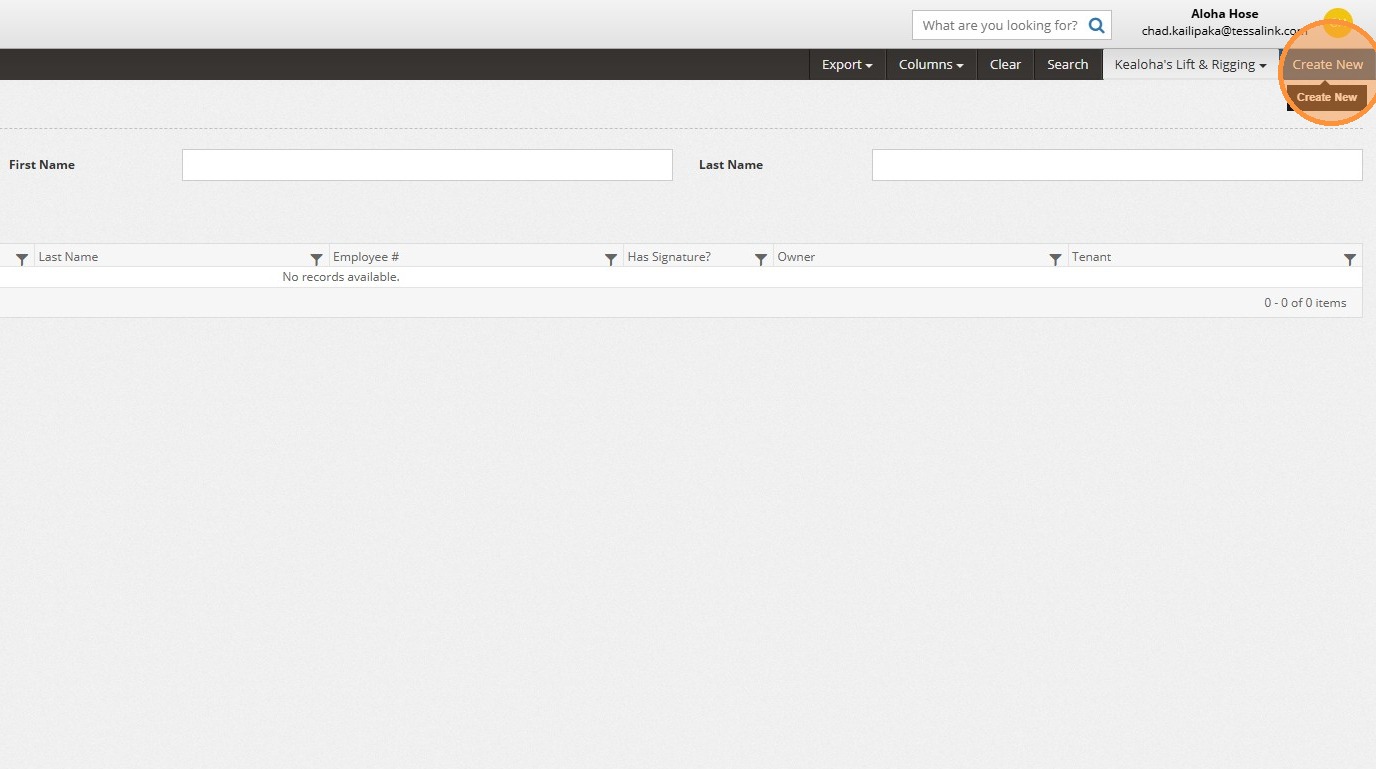
7. Click "Create New"
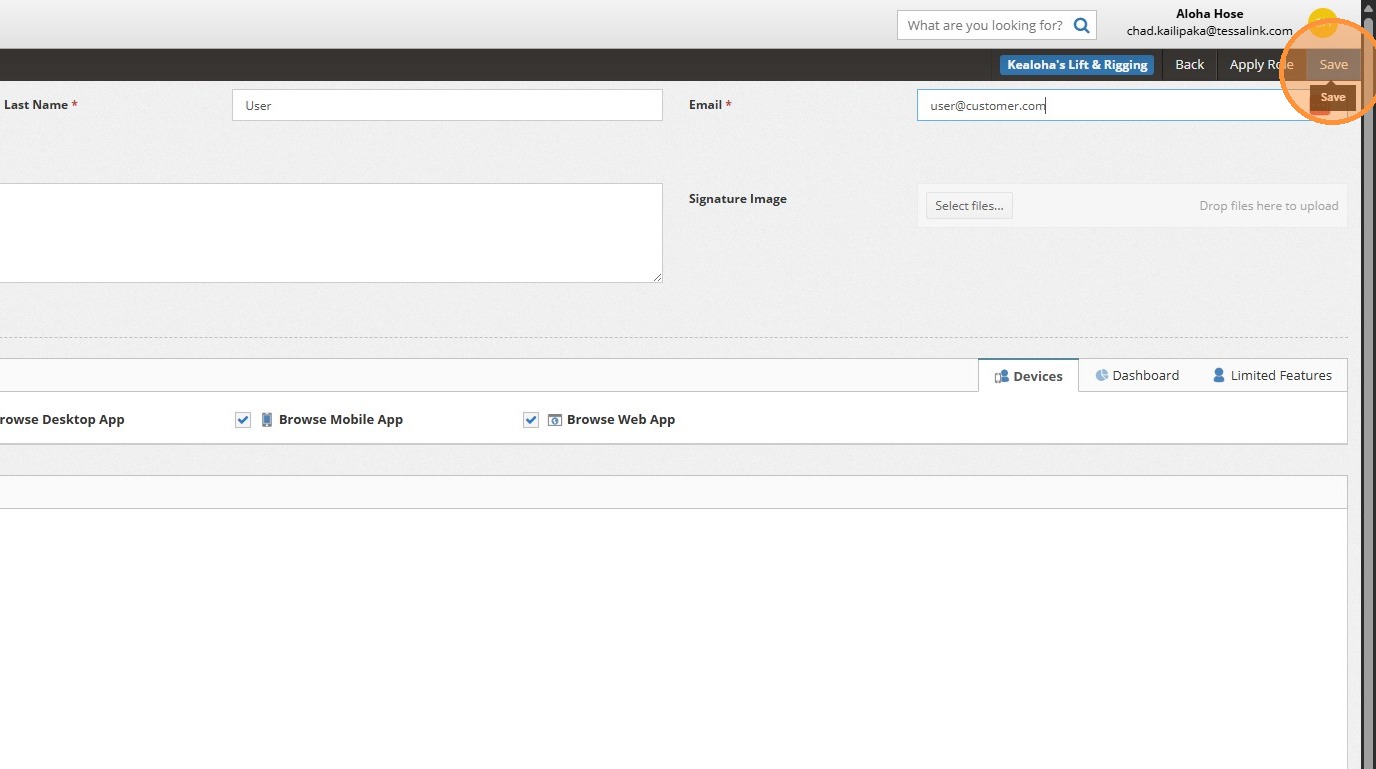
8. Input your customer's user's first name, last name, and their email address.

9. Click "Save" and the customer will receive a system email to setup their password.
Comments